Users
Updated
The settings that decide which facilities users can log in to and sync, and whether the permissions imported into Tamanu are the ones that apply. Settings are managed in the Settings admin panel.
For the users, roles and permissions matrix these settings act on see Reference data, and for what each permission grants see Permissions.
Settings
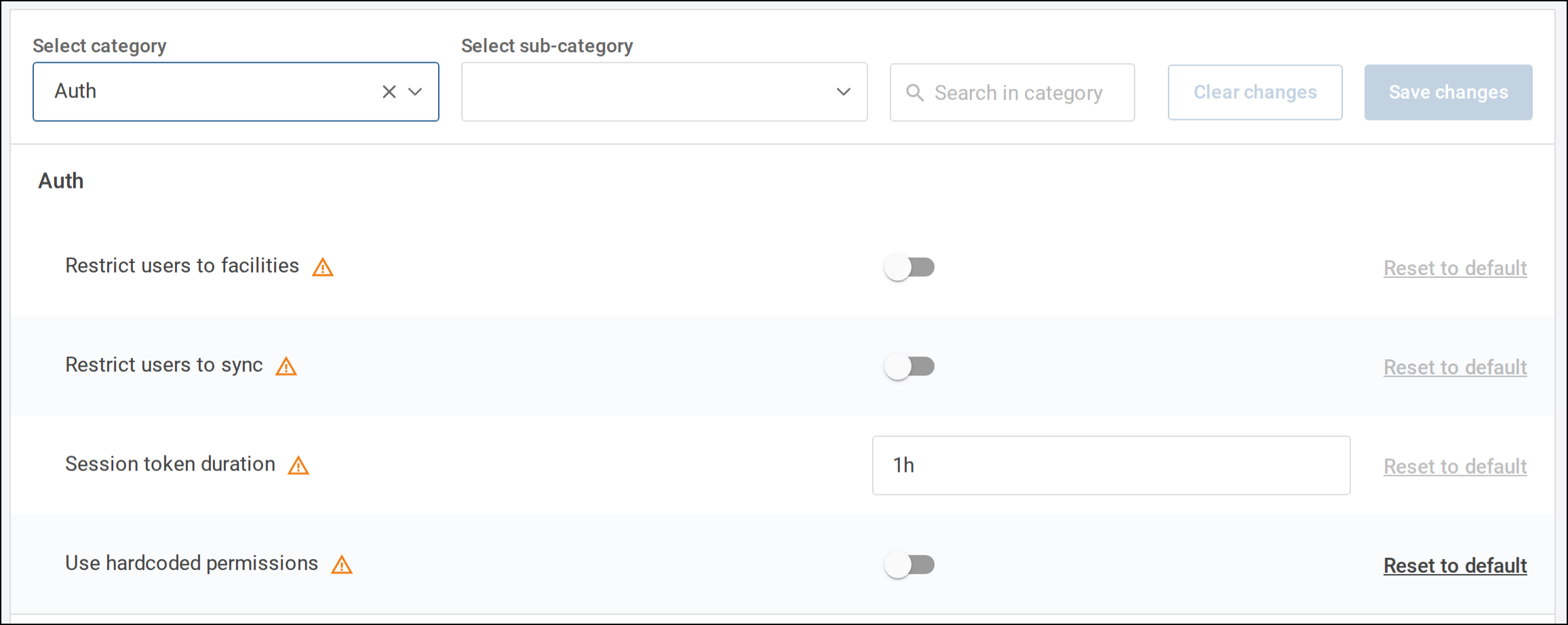
Settings are managed in the Settings admin panel. All the settings in this guide are in the Auth
category, which is marked high risk: they are changed by a user with the admin role, and other
users see them disabled. See The admin role.
Login lockout, idle logout, password reset and mobile device registration are covered in the Deploying Tamanu configuration guides.
Permissions source
Tamanu holds a built-in set of permissions for a few fixed roles, and uses those instead of the permissions matrix while this setting is on. Turn it off to use the roles and permissions imported into the deployment.
| Field | Value |
|---|---|
| Scope | Global (All Facilities/Servers) |
| Category | Auth |
| Sub-category | None |
| Setting | Use hardcoded permissions |
| Default | Enabled |
While this setting is on, the permissions matrix has no effect: roles and permissions can be imported and edited, but users are granted only the built-in permissions. A user whose role is not one of the built-in roles cannot use Tamanu at all. Turn it off before relying on imported permissions.
The built-in roles are admin, which can do everything, practitioner, a broad clinical role, and
base and reception, which can only view users.
Until the setting is saved, a deployment upgraded from a version before v2.62 keeps the value from its server configuration, where this option was held before it became a setting.
Facility access
By default every user can log in to every facility. To limit users to the facilities they are linked to, turn this setting on.
| Field | Value |
|---|---|
| Scope | Global (All Facilities/Servers) |
| Category | Auth |
| Sub-category | None |
| Setting | Restrict users to facilities |
| Default | Disabled |
With the setting on, a user can log in to a facility only where:
- They are linked to that facility, through the
allowedFacilitiescolumn of theUsertab or Allowed facilities on their User profile. See User - Or their role holds
loginforFacility, which grants every facility that is not sensitive. See Facility
A sensitive facility is one that belongs to a sensitive network. Sensitive facilities are never granted through the setting or the permission: whether the setting is on or off, a user can log in to a sensitive facility only if they are linked to it. Linking a user to one facility in a sensitive network does not grant the network's other facilities. Setting up sensitive networks is covered in the Deploying Tamanu configuration guides.
Users with the admin role can log in to every facility, including sensitive ones, regardless of
these rules.
Sync restriction
By default any user can sync. Mobile devices sync as the user logged in to them, so this decides who can use Tamanu Mobile. To limit syncing to users whose role permits it, turn this setting on.
| Field | Value |
|---|---|
| Scope | Global (All Facilities/Servers) |
| Category | Auth |
| Sub-category | None |
| Setting | Restrict users to sync |
| Default | Disabled |
With the setting on, a user can sync only if their role holds sync for Facility, or they have the
admin role. The accounts facility servers sync with are created with the admin role, so they
are unaffected, but a facility server set up with an account of another role needs the permission
too. A user must also be able to access every facility they sync, as set out under
Facility access, whether or not this setting is on.
The sync verb is not shown on the Edit tab of the Permissions screen, so it can only be
granted through the Permission tab of the permissions matrix. Grant it to the roles that need to
sync before turning this setting on, or those users will be unable to sync.