3.2 Work through your upcoming tasks
Updated
Upcoming tasks on your dashboard lists the tasks waiting to be done for patients at your facility, so you can plan your shift. Start from your dashboard.
Before you start
Upcoming tasks shows only if your site uses tasks and you have permission to view them. Contact your system administrator if you believe you should see it.
Steps
-
Find Upcoming tasks on your dashboard.
It lists tasks still to be done for patients with an open encounter at this facility. It includes tasks for your designation, such as nurse, and tasks with no designation. It shows overdue tasks and those due in the next few hours, earliest first.
A high priority task has a red exclamation mark beside its name. A task to give medication shows as Medication Due. Rest your pointer on a task to see who requested it and when.
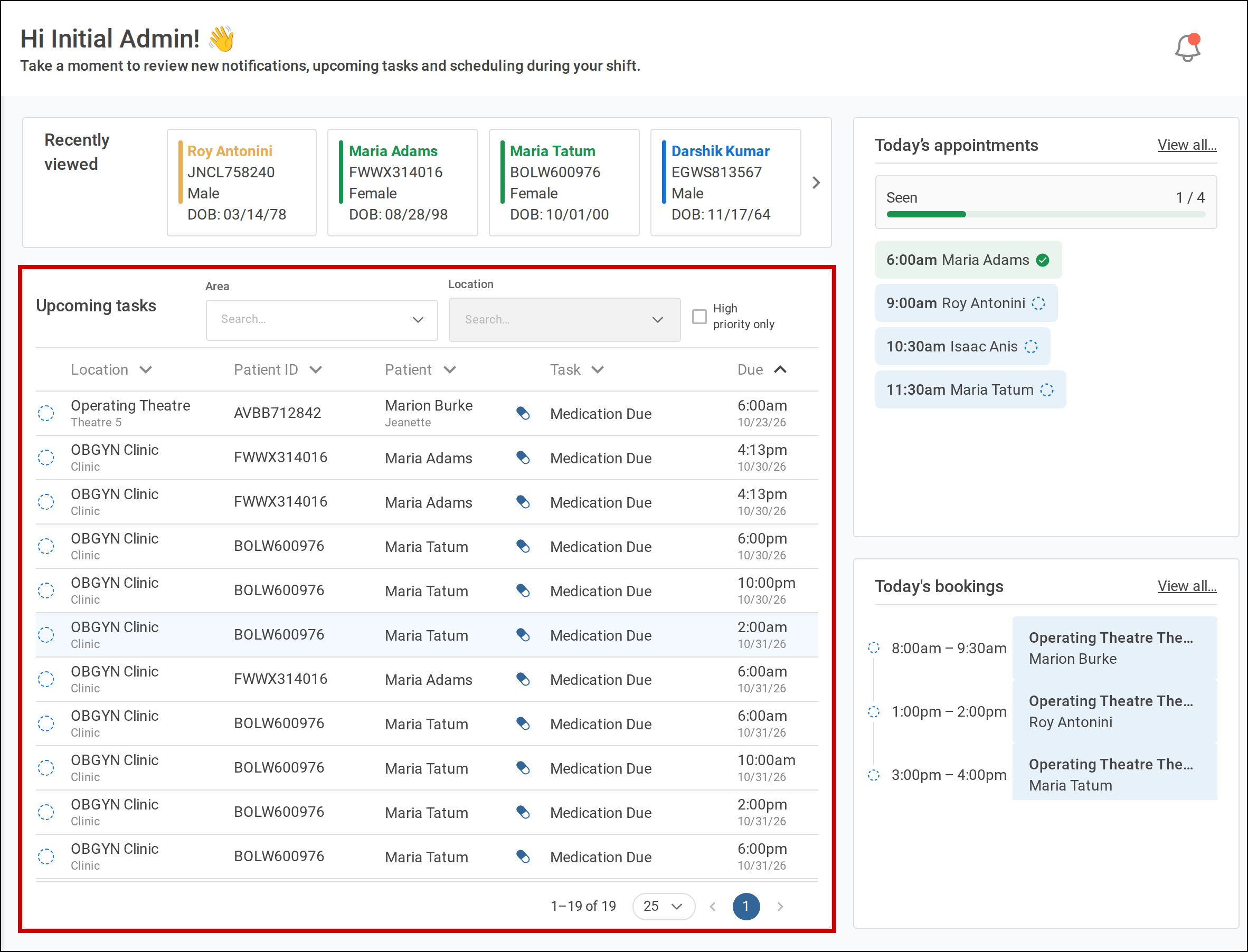
Upcoming tasks sits below Recently viewed on your dashboard. -
To list only the patients in your care, choose an Area, then one or more beds in Location.
Tamanu remembers your filters at this facility for next time.
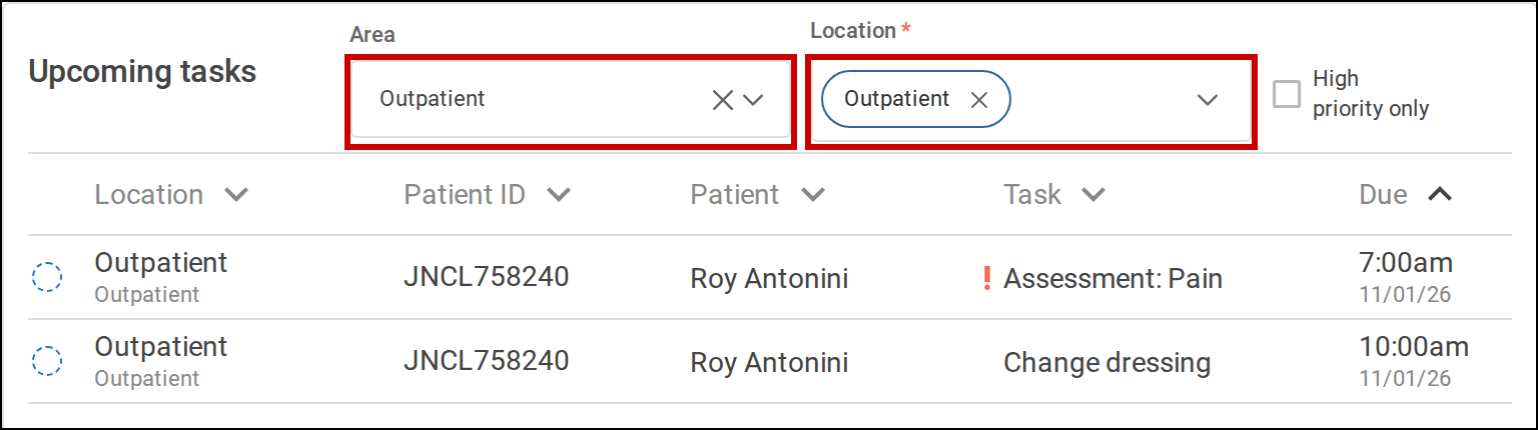
Choose an Area and Location to list only those patients' tasks. -
To list only high priority tasks, tick High priority only.
-
To sort the list, select a column heading.
-
Select a task to open it.
For most tasks, the patient's encounter opens on its Tasks tab, where you can mark the task as done. For a Medication Due task, the patient's Medication admin record opens.